Company Verification (KYB)
Sumsub, 2023 – 2024
About the product
KYB, or Know Your Business, is a tool for checking whether a company is legitimate and trustworthy. Unlike KYC, or Know Your Customer, which verifies an individual, KYB is a multi-step process that may include several nested KYC and KYB checks.
The problem
The existing interface and user flow could no longer support the product's new features.
The interface had not been updated for a long time. It no longer matched the current design system and needed a refresh.
Goals
1
WebSDK - this is the interface users see when they verify a company.
- Rethink the verification flow
- Update the UI
- Add new features
2
Applicant profile - this is an interface for moderators. It contains company data, automated check results, and other relevant information.
- Update the company structure section
- Improve the flow for adding and editing an Associated Party
1. WebSDK
We intentionally skipped the research phase because of time constraints and went straight into redesigning the flow. We already had strong product knowledge, input from technical support, and other raw data. This was enough for the first iteration.
We had inherited the original flow, and it needed work. After reviewing the available data, we formed a set of hypotheses and used them to redesign it.
ℹ️ Note: The project was technically complex on the backend. We often had to adjust the flow and UI during development.

Once the new flow was approved, we designed every screen in detail. We combined components from the shared design system with custom elements created specifically for this project.
Part of the main flow
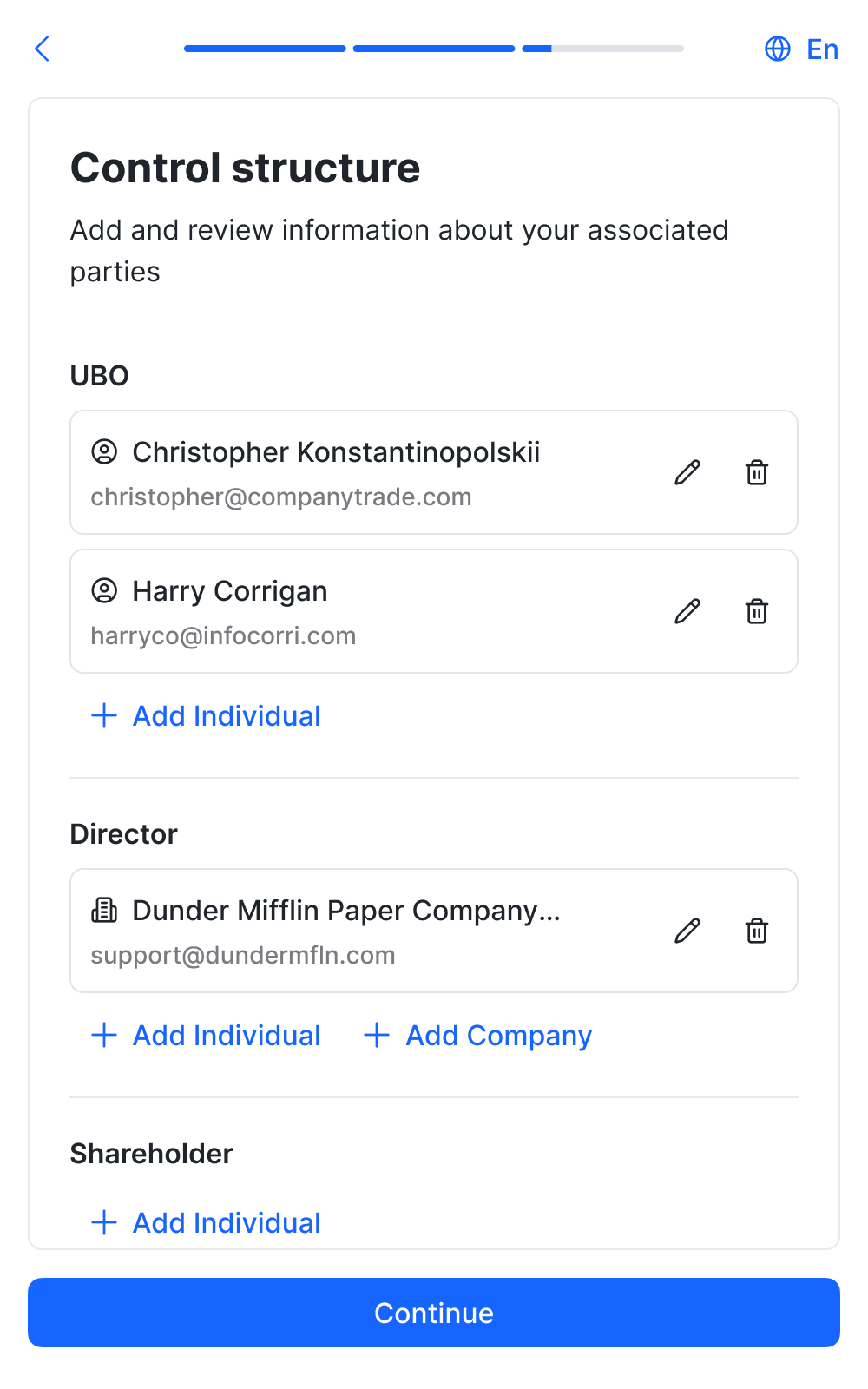
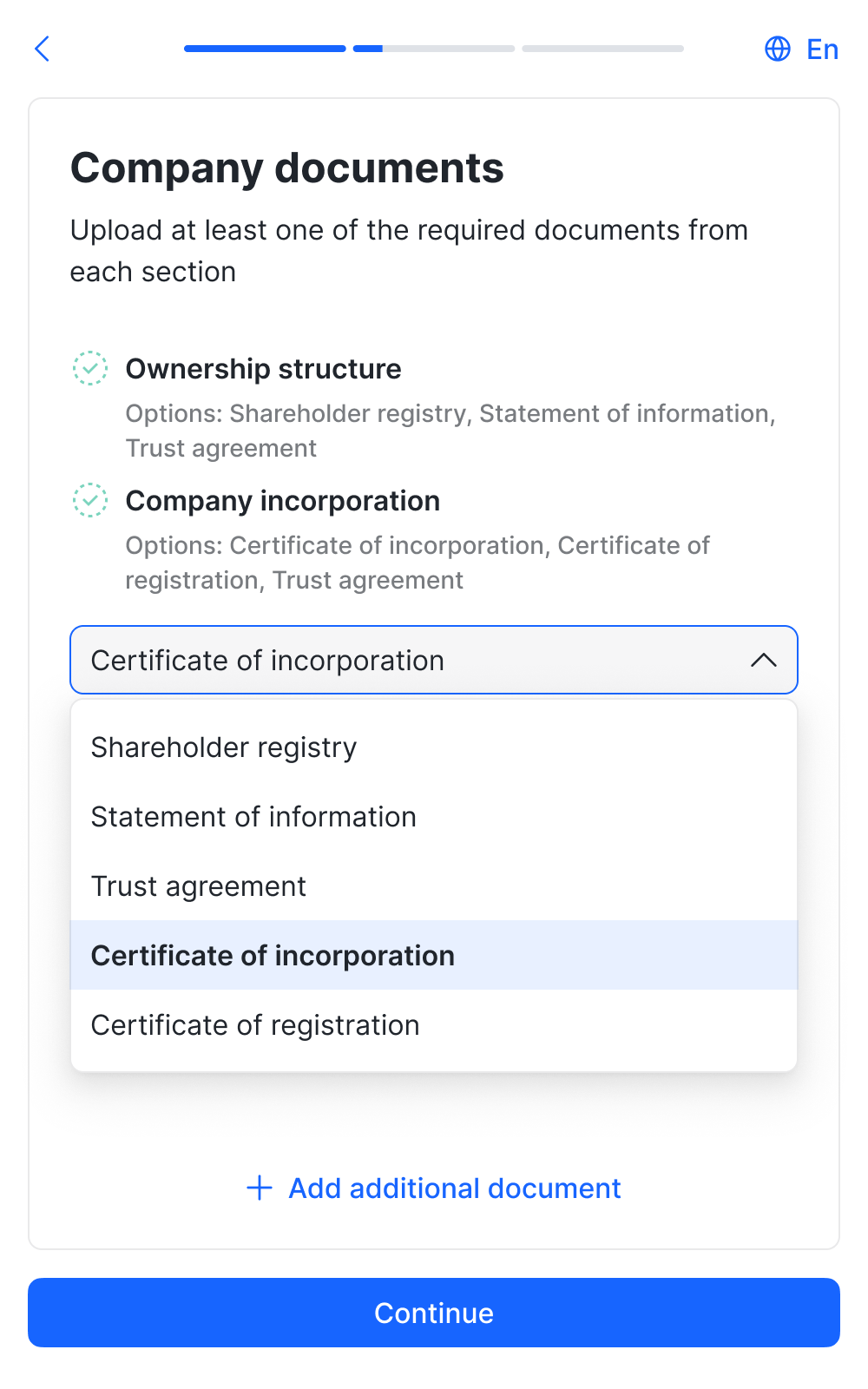
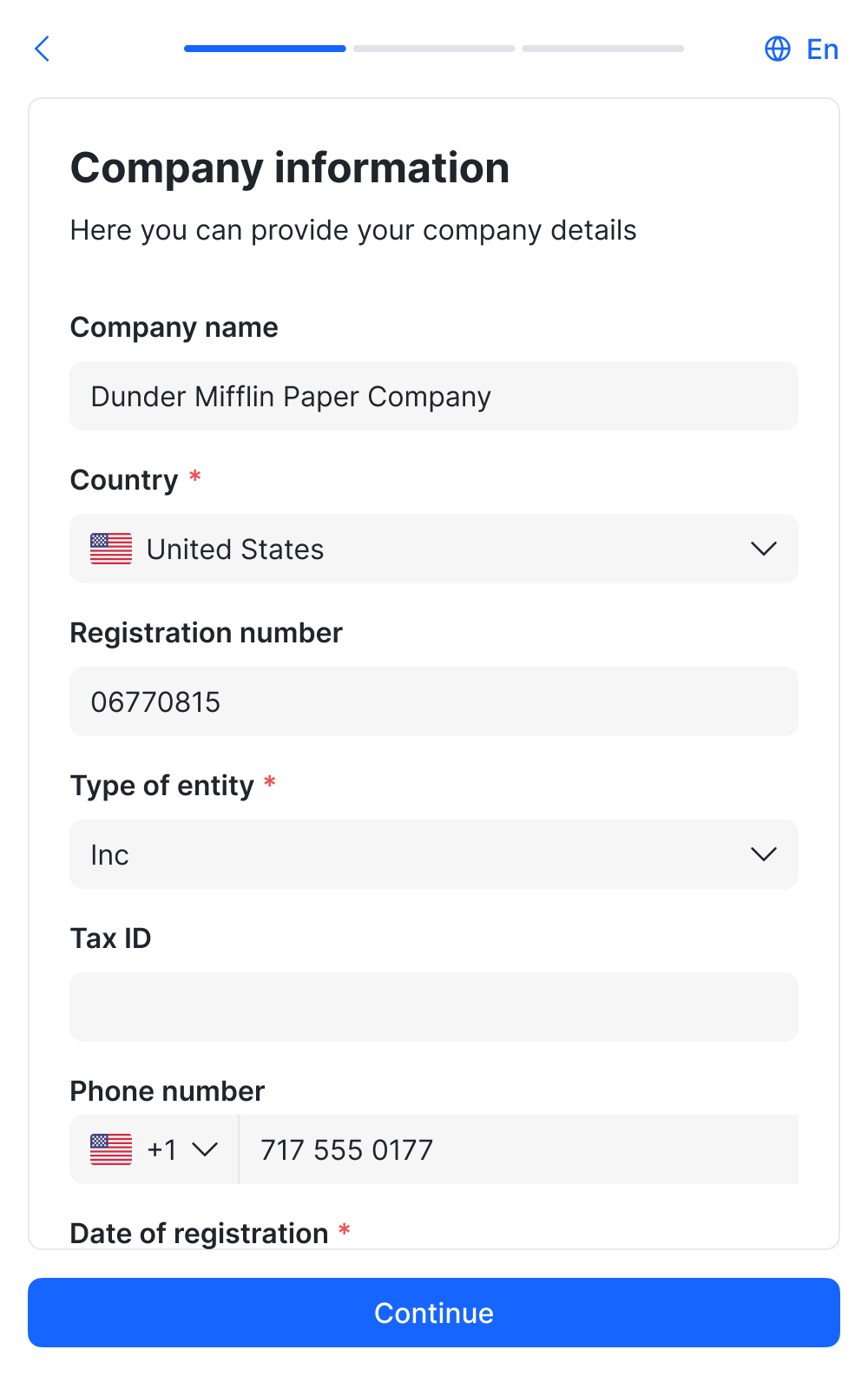
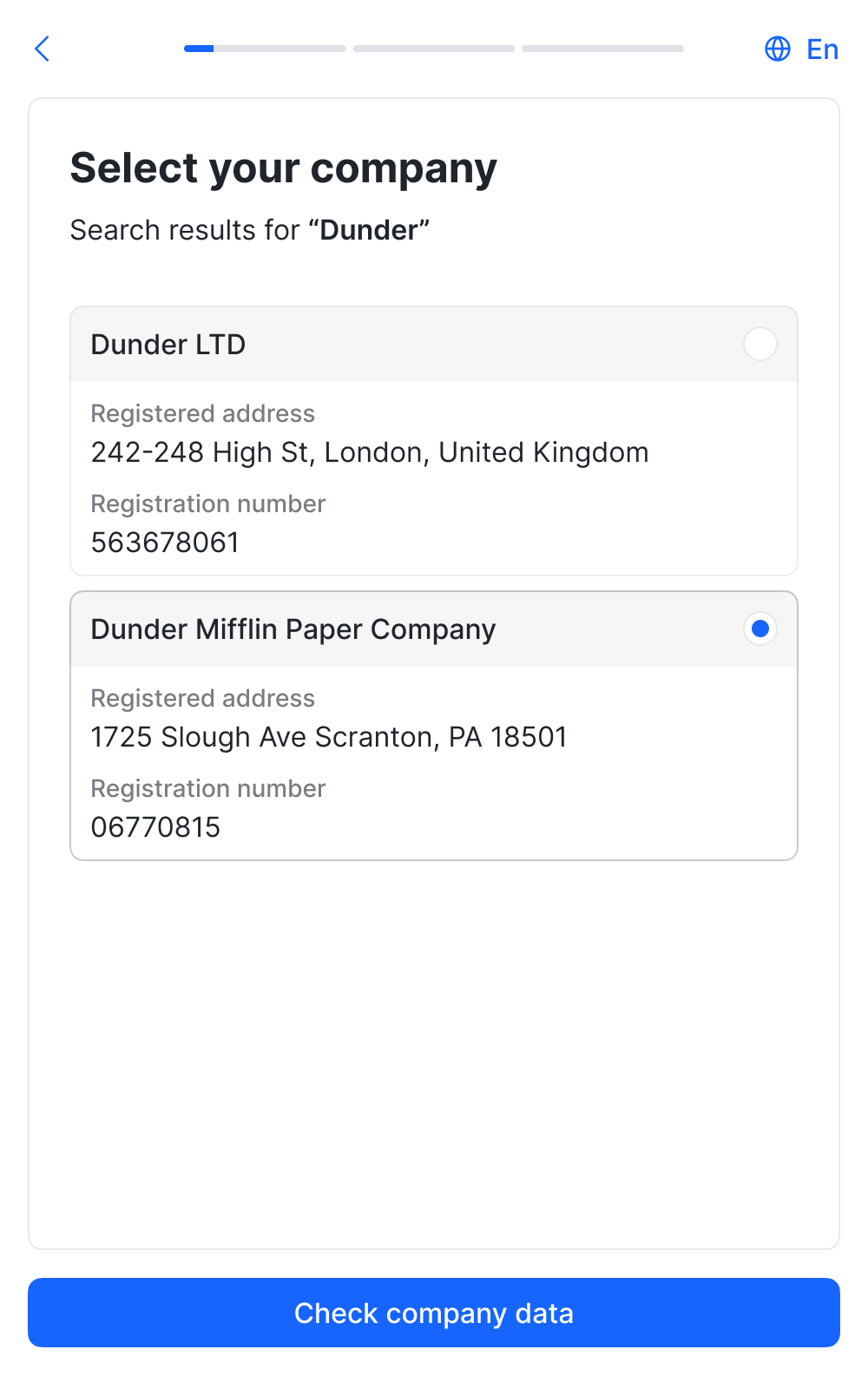
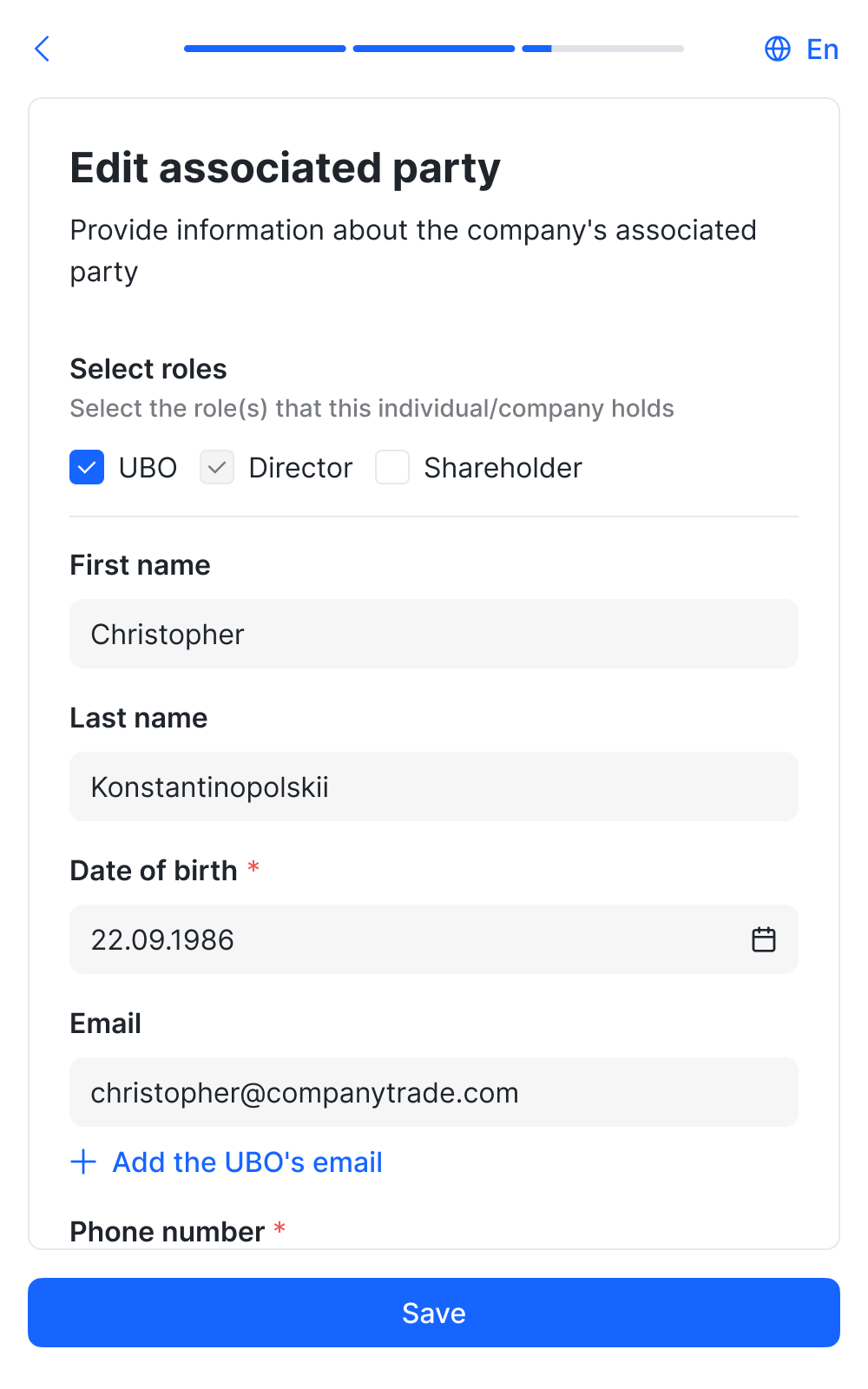
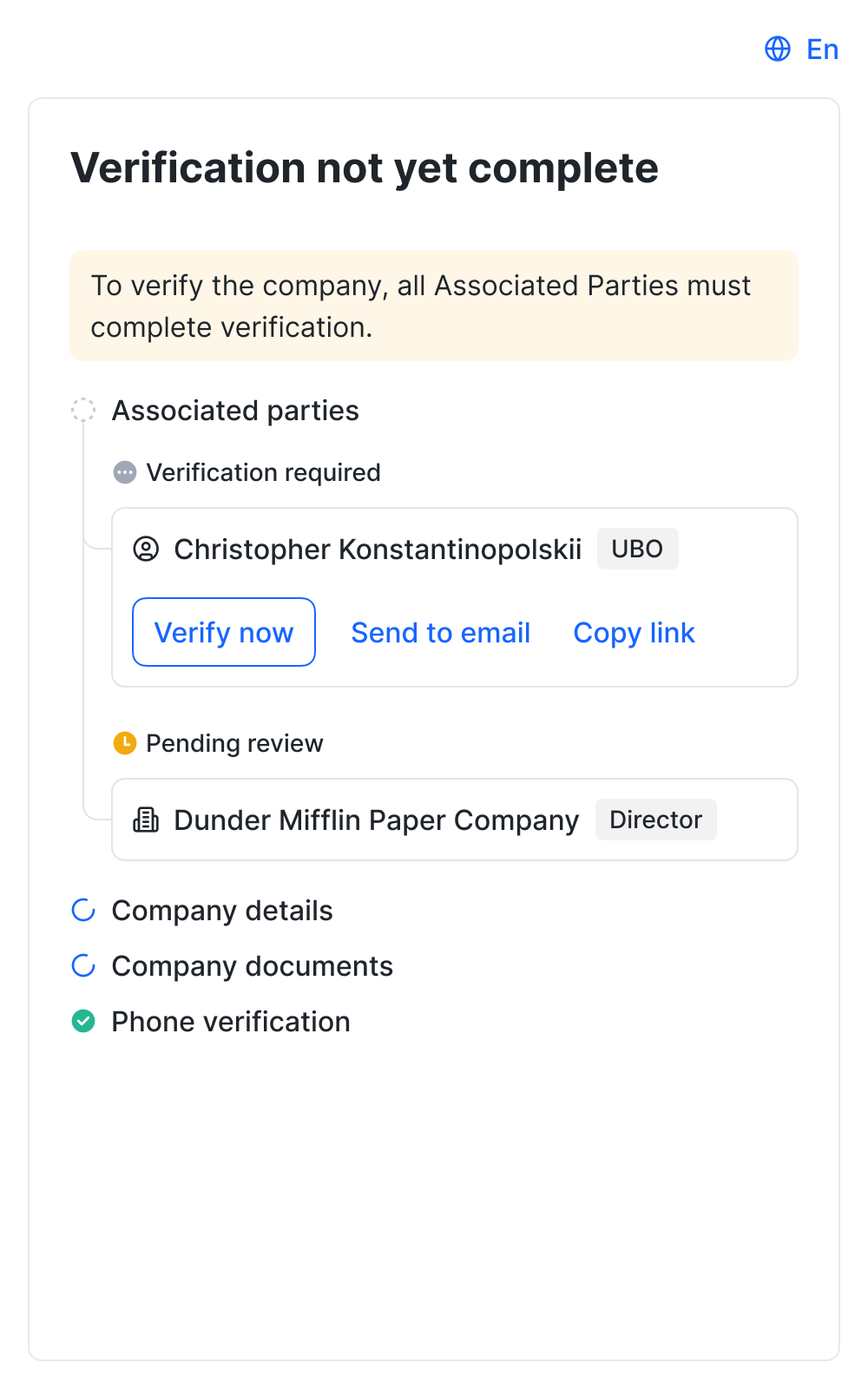
We fully redesigned the core journey and carefully covered every state of the new interface to make the experience as clear and easy as possible.
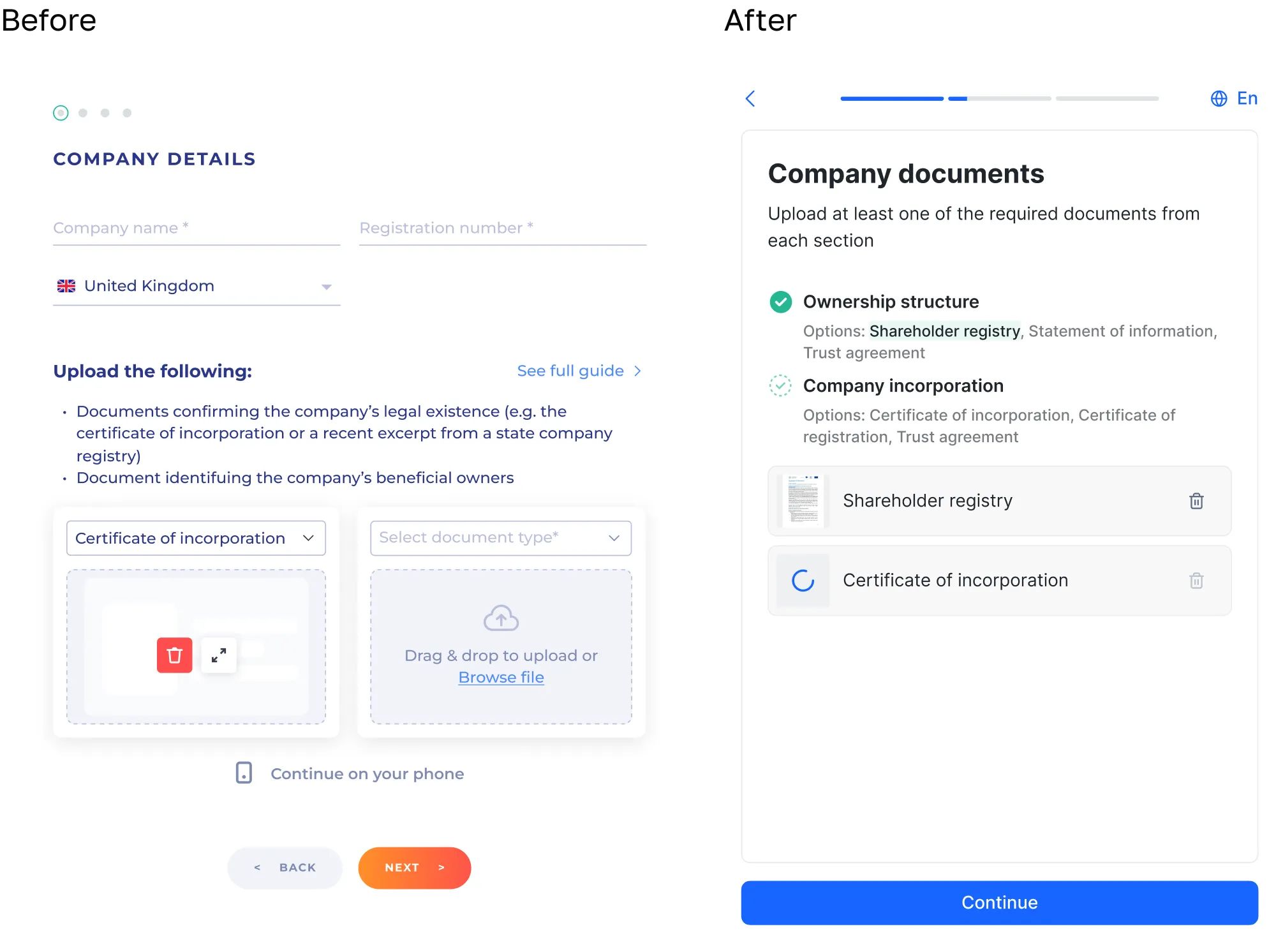
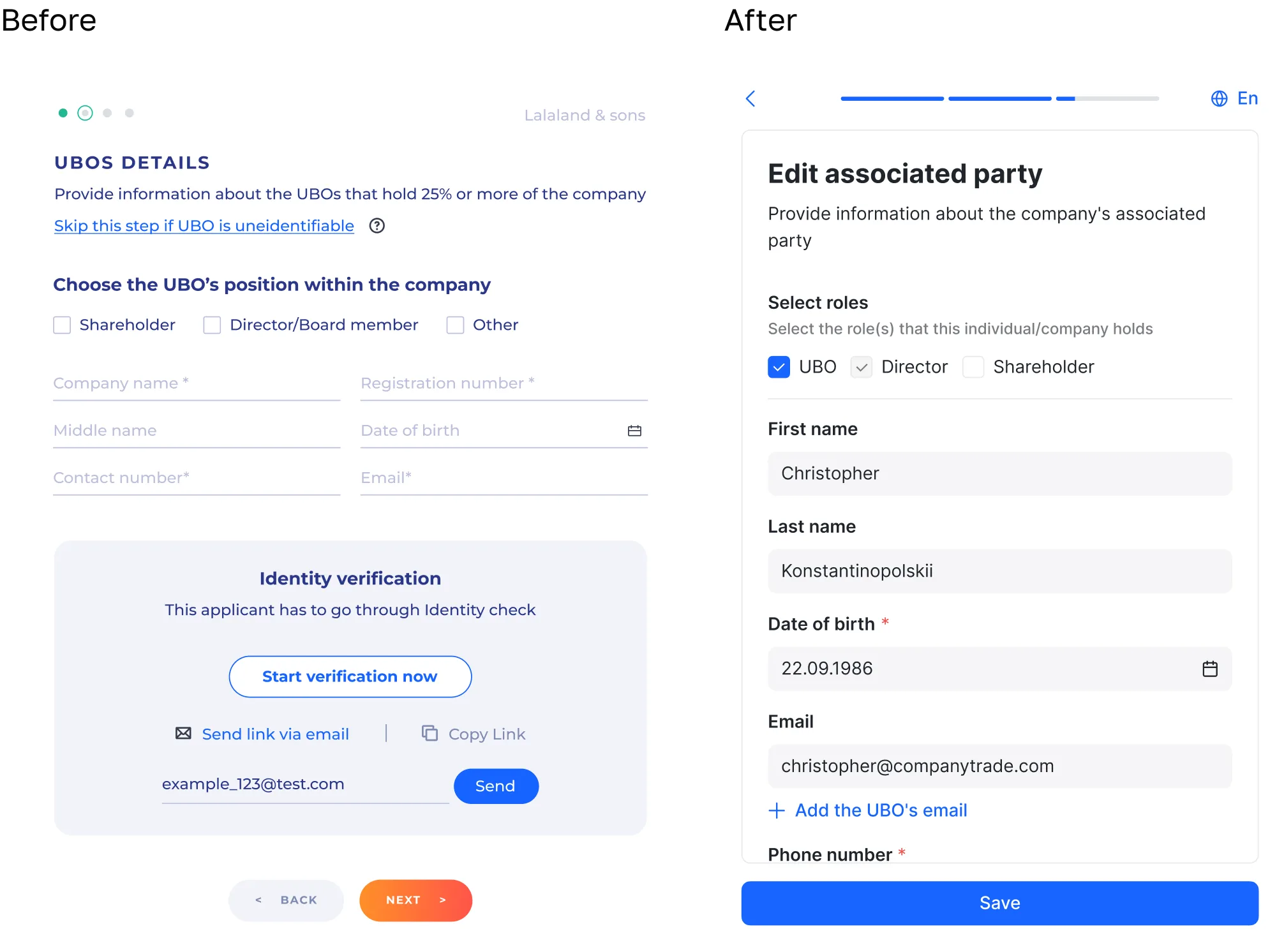
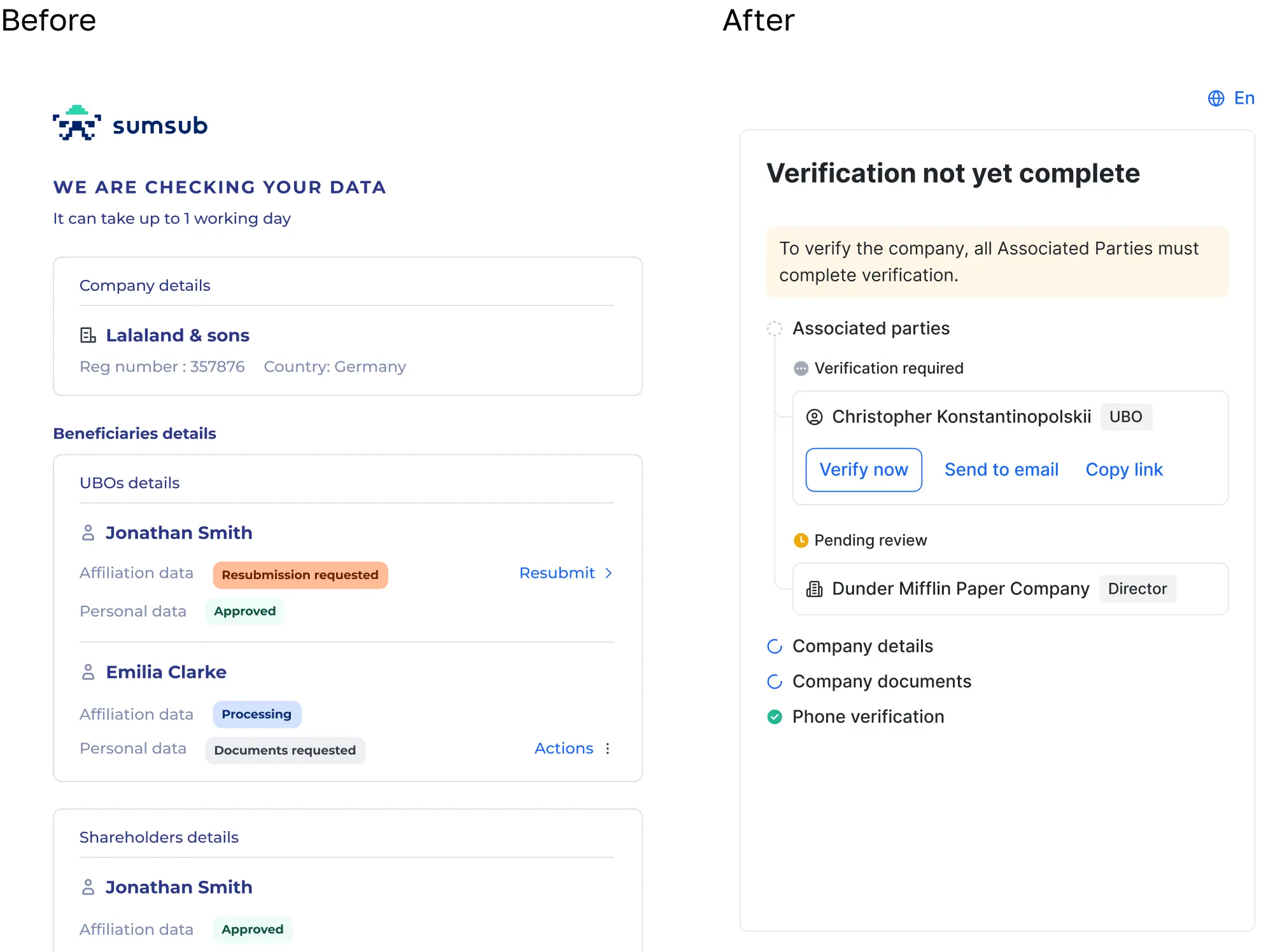
The redesign increased the completion rate for verification checks and reduced the number of support requests.
2. Applicant profile
To keep the process efficient, we first updated only the parts of the page affected by the new functionality. We left a full redesign for later iterations.
The first section we updated was Company Structure. It is a visual map of the company's hierarchy, built from database records and information submitted by the user. We refreshed the UI and added more context, making the data easier to understand at a glance.

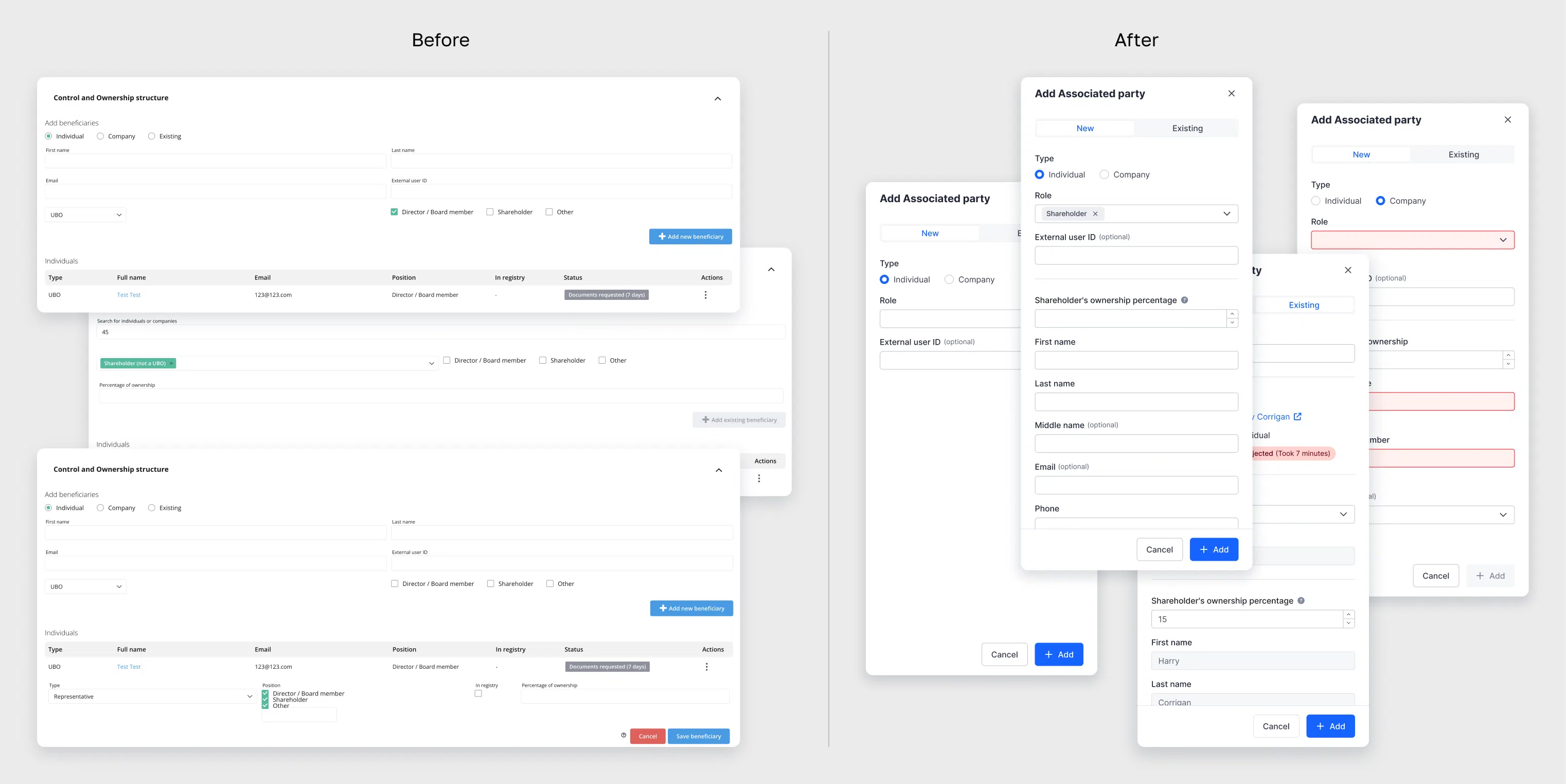
Next, we changed the beneficiary table, which repeated the cards already shown in Company Structure, as well as the form used to add or edit beneficiaries. We removed the table because it duplicated information. The add and edit flow now opens in a drawer when the user clicks the relevant button.
The applicant profile is now easier to scan. Unnecessary information no longer takes up space, and the secondary action is tucked away behind a button.
The applicant profile is now easier to scan. Unnecessary information no longer takes up space, and the secondary action is tucked away behind a button.